Email digests: a simpler way to catch up
Following several newsletters can leave you with an unwanted stream of emails. You want to keep up with the topics you subscribed to, but individual emails can get lost in the noise.
Mailphantom sends a regular digest of incoming emails from selected email aliases, or phantoms. The digest includes a short summary of each email to help you decide what to read.
Bring your newsletters together
Suppose you use several phantoms for technology newsletters, gardening advice and updates from an online bookshop. You enjoy reading them, but you are happy to catch up on them together.
Rather than forwarding them individually as they arrive, enable Email digests for those phantoms to include summaries of their incoming emails in your next digest.
You can choose which phantoms suit this approach. A newsletter you read over the weekend might be a good fit.
If you're expecting delivery updates through a phantom, you can turn email digests off to have new emails forwarded as they arrive.
See what is worth reading
The digest groups emails by phantom. Each entry shows the sender, subject and a short summary.
For example, a digest for the subscriptions above might include:
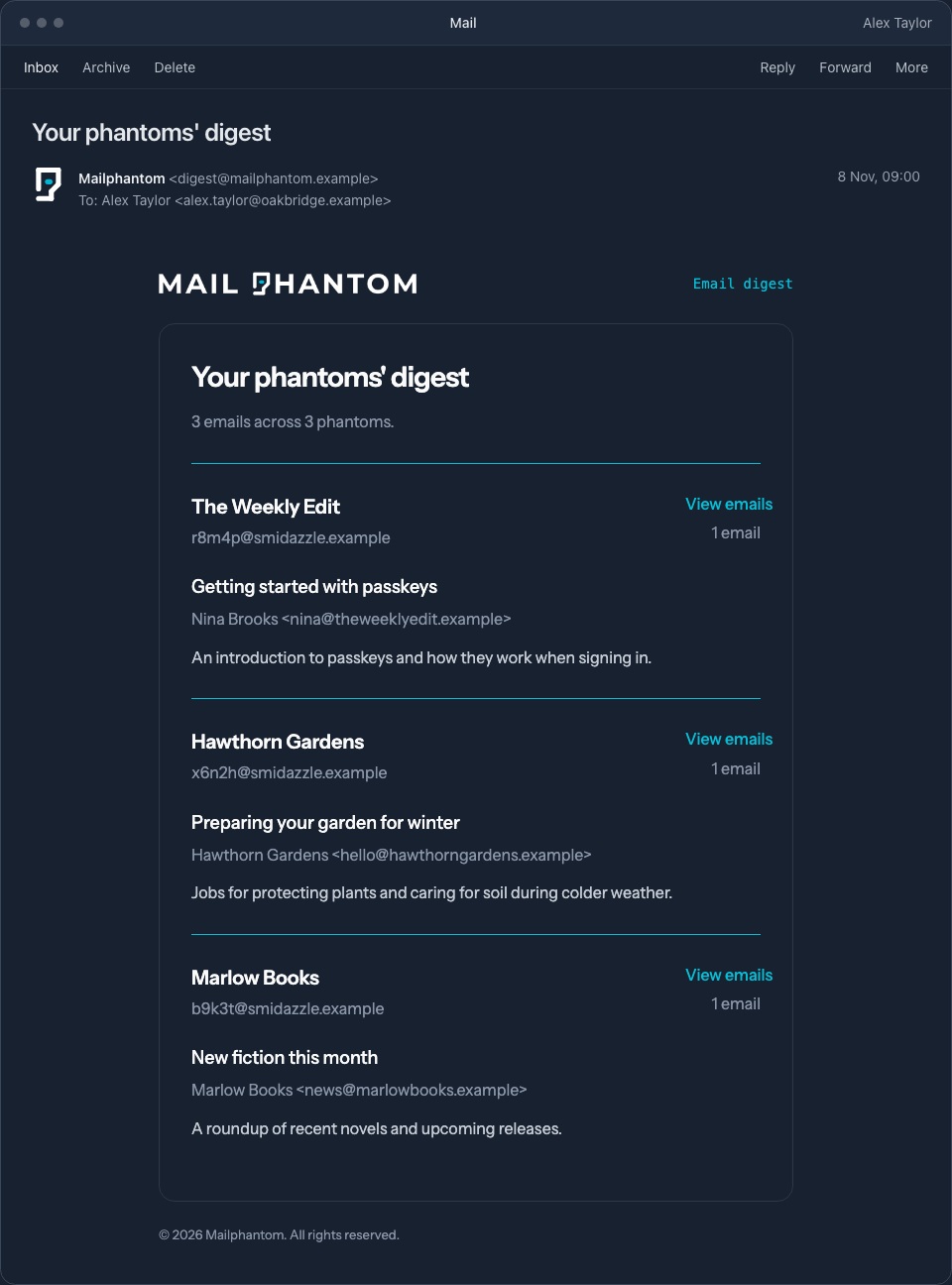
Follow the gardening phantom's View emails link to read the email in full in Mailphantom.
Access your digest emails
Emails remain available for 28 days. During that time, you can view them from the phantom's page at any time, before or after the digest is sent.
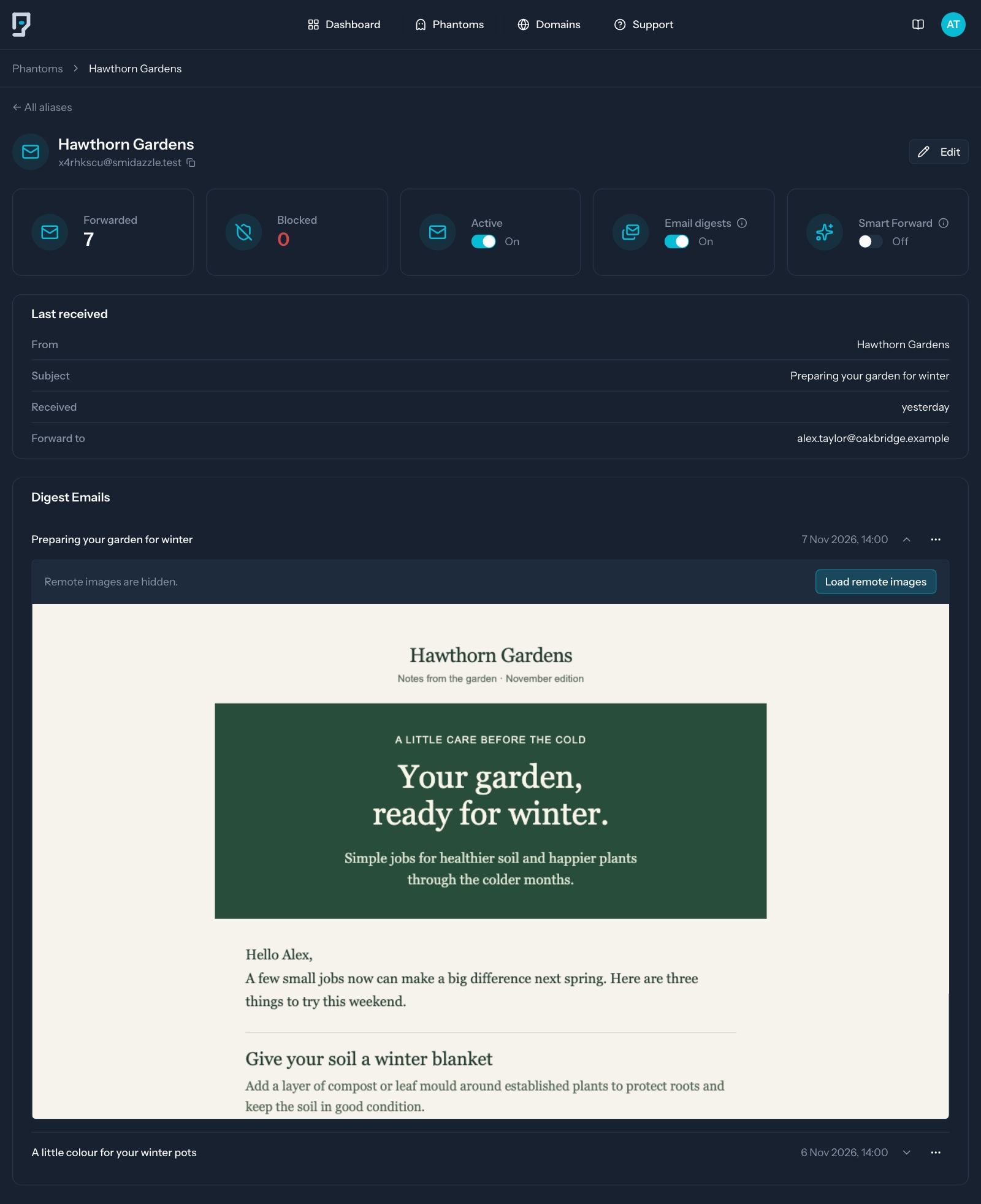
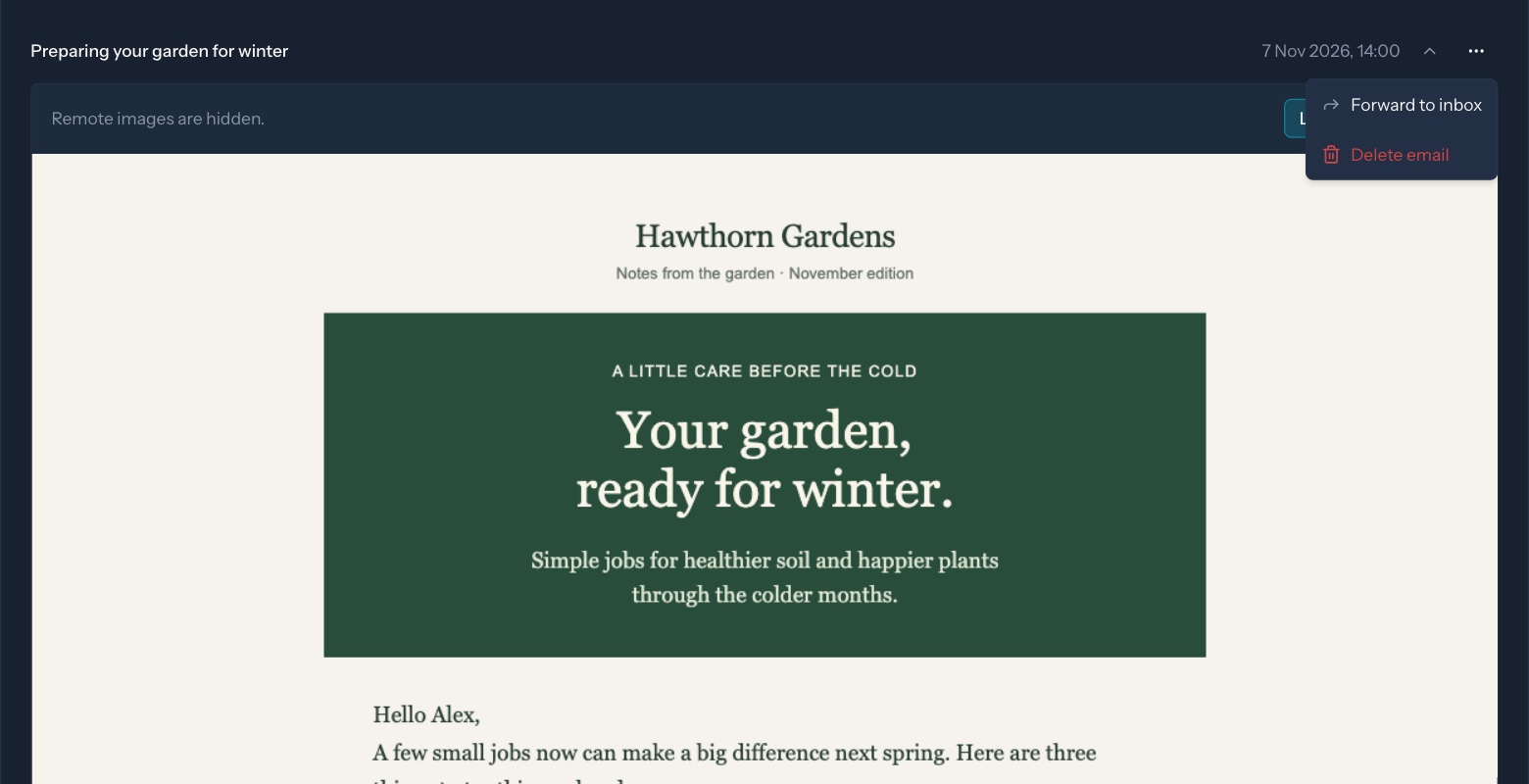
Use the email's menu to send it to your inbox with Forward to inbox, or remove it with Delete email.
Interested in email digests
Email digests are currently in beta. If you are interested in trying them, contact us to request beta access.
Digest summaries use AI and may contain errors.